★★★★★
App Store
The best app
App is amazing, just please make PLN currency. Thank you for this app!
The free app that follows each item's path — from the stall where you found it to the platform where it sold — and shows what you actually made after every fee, fare and entry ticket. No spreadsheet gymnastics.
Chessington car boot · Sunday, 06:40
| Art-deco mirror | −£4.00 |
| Entry fee (share) | −£0.50 |
| Fuel (share of trip) | −£1.20 |
| Sold on eBay · day 9 | +£28.00 |
| eBay fees | −£3.64 |
| Real profit | £18.66 |
The full path of one item — tracked in FlipperHelper
The maths most of us skip. The app doesn't.
FlipperHelper was built around one real sourcing day, repeated hundreds of times. Follow it through, and you'll see exactly where it earns its place in your pocket.
This is the moment records usually don't happen. Hands full, queue moving, "I'll log it when I get home" — and by evening the prices have blurred together.
FlipperHelper works fully offline. Snap a photo, type the price, done — the app fills in the market by GPS and gives the item its own SKU. Ten seconds per find, at the moment of purchase, not from memory.
Trip costs are where spreadsheet profit quietly turns into fiction — they never make it into the per-item maths.
Log the day's expenses once, and the app splits them across everything you bought. Entry fees, transport — car, train, even the van rental for the France run. Each find carries its true cost from day one, in any of 6 currencies with daily rates. Your numbers, your call.
Fifty live listings across four platforms is where memory gives up. Items sit forgotten in drawers while their listings quietly expire.
Mark where each item is listed — across 16 platforms — with dates and asking prices. Platform badges show the state of every find at a glance, and a reminder nudges you about the ones still waiting in the drawer. Your call when.
Turnover is what resellers brag about. Profit — after the platform's cut, the postage, the trip that found it — is what pays for anything.
Record the sale and the app closes the item's path: purchase, trip share, fees — one honest number, in green. Real profit, correctly counted. And when it's a good one, a share card is ready for your socials.
Without the numbers it's all gut feel — you keep going back to markets that stopped paying months ago, and tax season arrives as a shoebox of guesses.
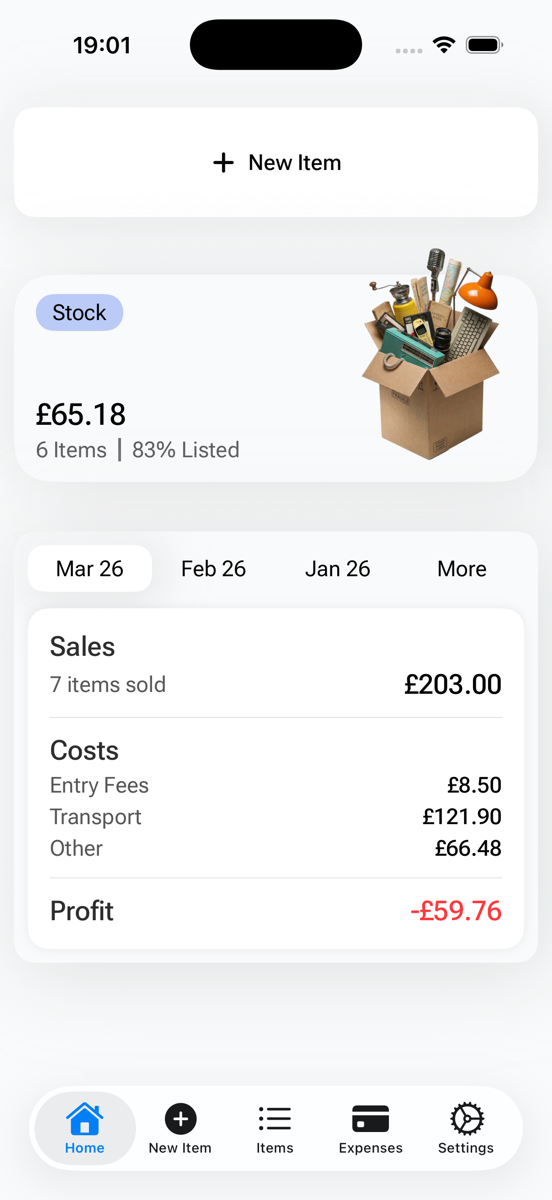
The Money Flow dashboard shows what you made, what it cost, and how much cash is sitting in unsold stock — by week, month or any range. Per-market and per-trip totals tell you which Sundays earn their alarm. And one tap exports the lot to Google Sheets — a tidy, dated record when Self Assessment comes calling.
The quiet fear of every tracker: drop the phone in a puddle at the boot, and a year of your business goes with it.
Backups run automatically — iCloud on iPhone, a folder you choose on Android — and everything exports as one file that works on both platforms. Switching phones, or even switching sides between iPhone and Android, is a five-minute non-event.
Straight from the iPhone app — Android keeps the same layout. Swipe through the steps of one working day.
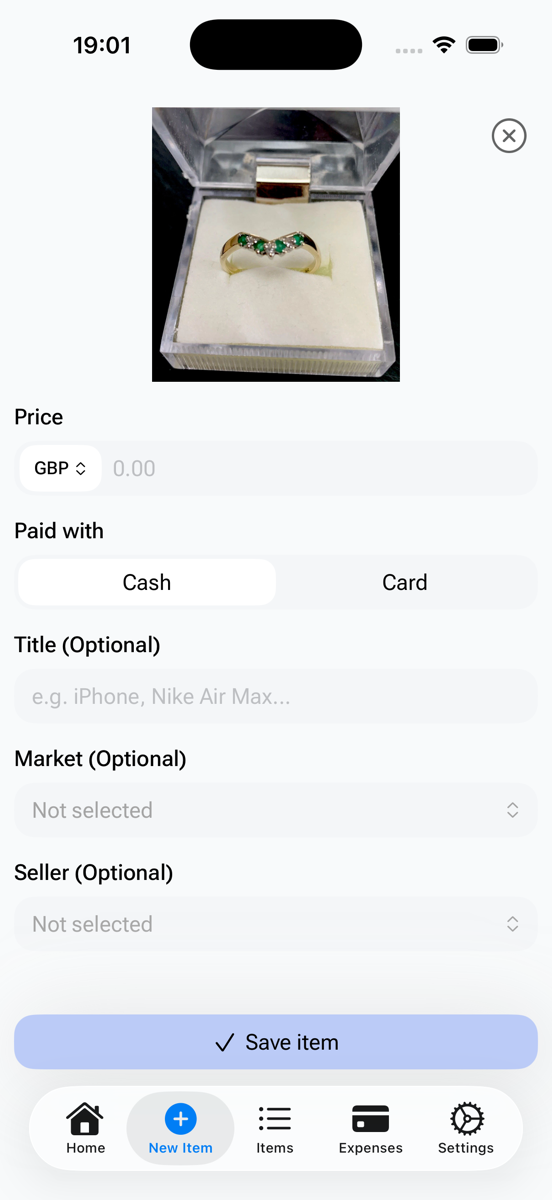
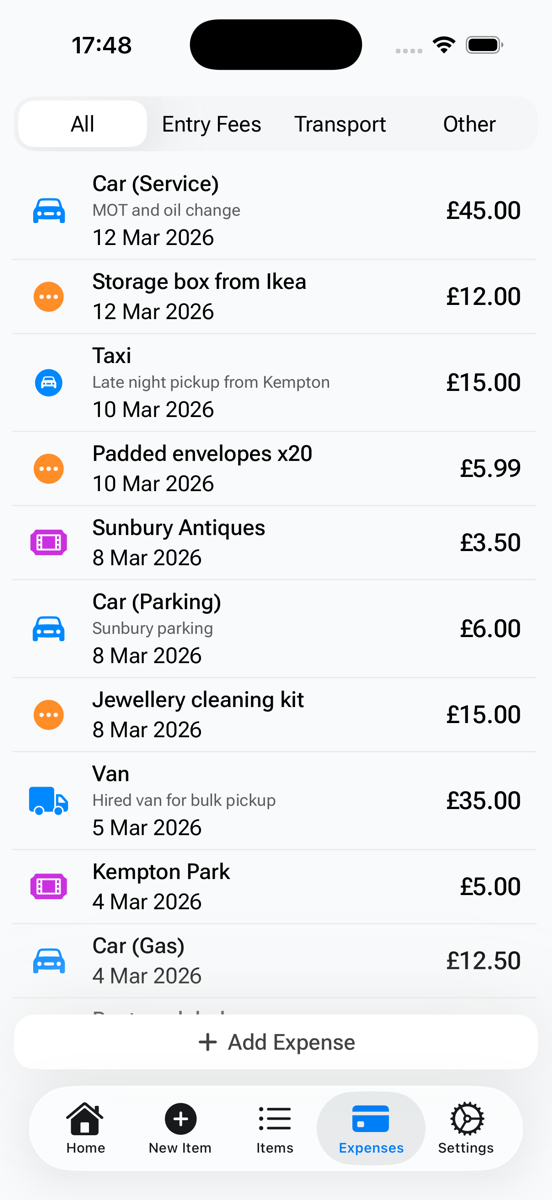
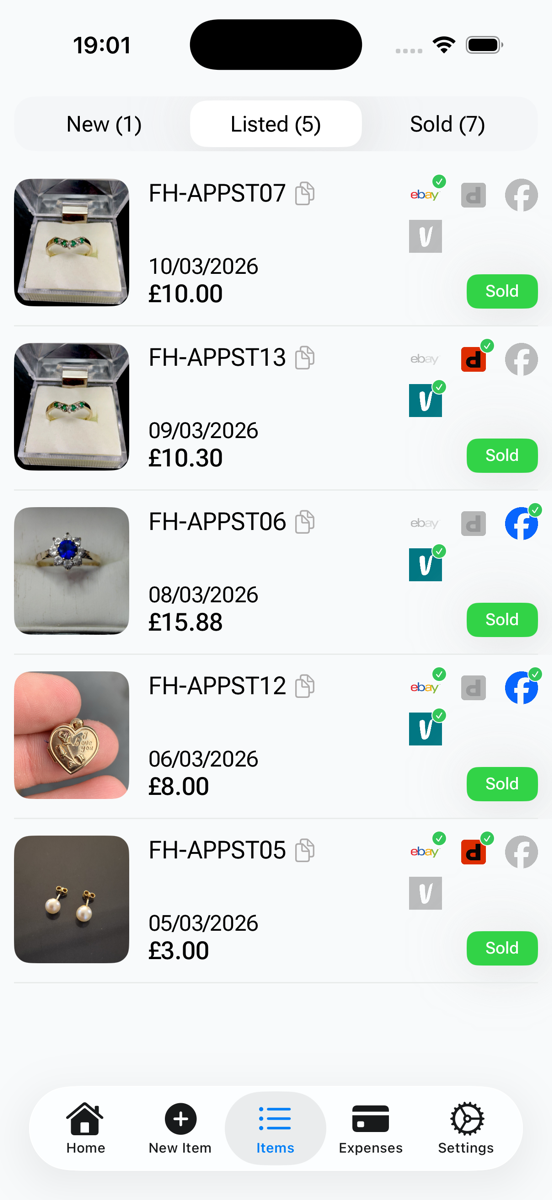
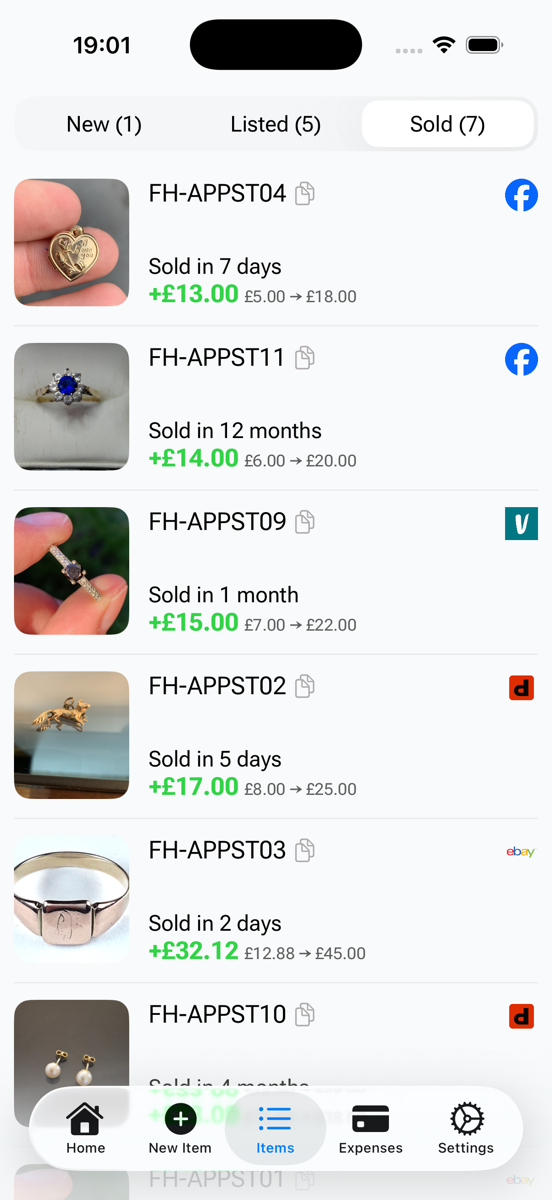
Real reviews from the App Store and Google Play — unedited, exactly as posted.
iOS 17+ and Android 8+ · works offline.
Reviews · App Store & Google Play
FlipperHelper started because my wife Valentina needed a better way to run her reselling business. Her spreadsheet kept getting in the way: a buy logged at the stall, then a forgotten listing, a missed fee, per-item maths gone wrong.
So I built her an app. She's been the lead tester ever since — every Sunday, boot after boot.
We source around England, drive to France for vintage, and sell on eBay, Vinted and Facebook Marketplace. Everything on this site — the app, the guides, the free tools — comes from that real business, not market research.
— Oleksandr Prudnikov, developer · London · more about us
Real figures from our own business — same screens you get, no special version. Her business now pays for the car that gets her to the boots.
The app grows the same way it started — from real problems at real markets. Same rule applies to everything below: if it doesn't survive a Sunday at a car boot, it doesn't ship.
Handled today · free in the app
Buy price, fees, expenses — counted from purchase to sale, in 6 currencies.
Snap a photo, set a price, done — right at the stall, offline.
Auto backup, cloud sync, export to Google Sheets or ZIP — anytime.
On the bench now · FlipperHelper Pro
Pro is a subscription for when the business grows: your records on every screen, and sales that record themselves.
Everything that's free today stays free. Pro only adds on top.
You're on the list. One email when Pro is ready — early access first.
One email when Pro is ready, early access first. No spam — your call to leave anytime.Most features started as an email from a reseller (or a complaint from Valentina). If something would save you time at the boot or at the kitchen table — tell us. We read every message.
We build in the open — progress notes go out in The Weekly Flip and on r/flipperhelper first.
Yes — FlipperHelper is 100% free today, with no ads and no in-app purchases. Every core feature is included: item tracking with photos, expense logging (entry fees, transport, and other costs), automatic profit calculation, multi-currency support with daily exchange rates, iCloud and Google Drive backups, one-tap Google Sheets export, and full offline mode. Nothing is gated behind a paywall or a trial period. It stays this way because the app started as a tool built to help my wife track her own car boot sale flips, not as a funded product with investors to satisfy. We are building an optional paid Pro tier on top — a web portal and direct eBay account connection — for resellers who want more automation than manual logging. But that's additive: everything currently free stays free, and Pro will never take features away from the free tier.
Yes — FlipperHelper is built offline-first, not offline-as-an-afterthought. Every feature works with zero internet connection: logging a new find, taking photos, marking an item as listed, recording a sale, and checking your profit dashboard. This matters because most car boot sales, flea markets, and rural venues have poor or no signal, and losing a purchase record because an app needed a network call is a real failure mode we designed around. Your data lives locally on your device, then backs up automatically to iCloud (or Google Drive for photos) once you're back on WiFi or mobile data — you never have to remember to sync manually. The upcoming Pro tier's cloud features (web portal, eBay account connect) will follow the same principle: the app never blocks on a network call, connectivity only adds convenience on top of a fully working offline core.
They solve different problems. Vendoo is a cross-lister — it posts one listing to multiple marketplaces simultaneously and syncs when an item sells on one platform so you can delist it elsewhere. FlipperHelper doesn't post or cross-list anything; it's a profit tracker. You log what you paid for an item plus entry fees and transport, mark which of 16 platforms you're listing it on, and when it sells, FlipperHelper calculates your real profit after every cost — not just sale price minus purchase price. The two tools are complementary rather than competing: Vendoo saves you time getting an item listed everywhere at once, FlipperHelper tells you afterward whether that item, and that sourcing trip, actually made you money. Many resellers who buy at in-person markets use a tracker like FlipperHelper alongside a cross-lister like Vendoo — one handles distribution, the other handles the numbers. See the full comparison for a detailed, feature-by-feature breakdown.
Sixteen selling platforms are supported for tracking: eBay, Vinted, Facebook Marketplace, Depop, Poshmark, Mercari, Etsy, Gumtree, Shpock, Preloved, Nextdoor, Grailed, ShopThing, OfferUp, Craigslist, and ThredUp — plus a separate category for in-person sales at car boot sales, flea markets, and swap meets where there's no platform at all. "Tracking" here means manual toggles, not automated cross-posting: for each item you mark which platforms it's listed on and when it sells. This is a deliberate design choice, not a missing feature — automated cross-listing APIs break constantly as marketplaces change their terms, and a broken auto-sync silently corrupting your sold/unsold status is worse than the ten seconds it takes to tap a toggle yourself. If you want automated cross-listing in addition to profit tracking, pair FlipperHelper with a dedicated cross-lister like Vendoo — see our comparison pages for how the two types of tools fit together.
Yes. FlipperHelper's iOS and Android apps share an identical backup format: a single portable ZIP archive containing your full item database and every photo you've taken, exported via your phone's normal share sheet. Switching is a three-step process — export the ZIP on your old phone, transfer it however you like (AirDrop, email, cloud storage, USB), then import it on the new phone through the same menu. The whole thing typically takes under five minutes, and nothing is lost: every item, expense, sale, and photo carries over exactly as it was. This matters for a genuinely common scenario in the reselling world — sellers switch between iPhone and Android more often than average, whether for a better camera, a work phone, or just because a good deal came up on a new device. We built the export format vendor-agnostic from the start specifically so a change of phone brand would never mean losing months of tracked inventory history.
Yes, as a record-keeping tool — not as tax advice. FlipperHelper timestamps every purchase, sale, and expense the moment you log it, and one tap exports the complete history to Google Sheets in a format that separates income from allowable expenses. For UK resellers, that export is a solid foundation for tracking whether you're under the HMRC trading allowance or need to file Self Assessment, and for keeping Making Tax Digital-compliant records if your reselling grows into a registered business. We deliberately don't calculate your tax liability inside the app — tax rules depend on your total income, allowances, and personal circumstances beyond what a reselling app can see, and getting that wrong has real consequences. What FlipperHelper gives you is the accurate, dated underlying data; you or your accountant handle the actual tax calculation from there. Our blog has a full walkthrough of how UK resellers use the export for tax season.
Free on iOS 17+ and Android 8+. Set it up in the car park if you like — works offline from the first minute.
Featured on






